Build trust.
Index8 Trust turns your readiness work into a business-owned trust profile people can review.
Clients and brokers keep asking the same security questions.
Every questionnaire is a fresh scramble through screenshots and policies. There is no clean, current way to answer once and share.
A clear, organized picture your business owns.
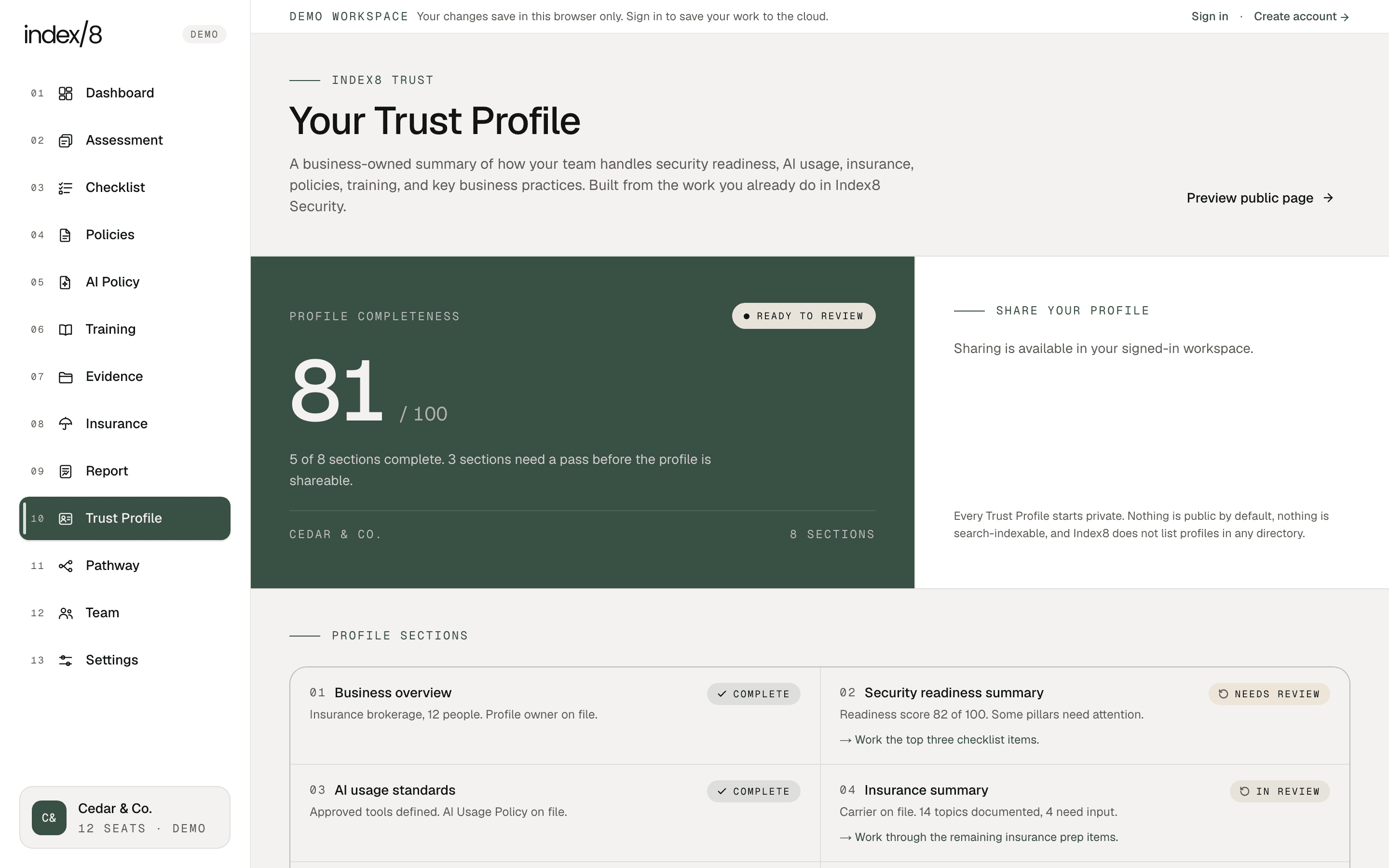
Built from the work you already do in Index8 Security. Every section pulls from live workspace data, so the profile stays current without becoming a second job.
Five sections complete. Three sections need a pass before the profile is shareable.
- CompleteBusiness overview
Industry, team size, profile owner.
- Needs reviewSecurity readiness summary
Score 82, a few pillars still need work.
- CompleteAI usage standards
Approved tools, policy on file.
- In reviewInsurance summary
Carrier on file, 14 of 18 topics.
- CompletePolicies summary
Eight active policies, all current.
- CompleteEvidence summary
42 active, all current.
- In reviewTraining summary
11 of 12 modules complete.
- CompleteVendor and data handling notes
Key vendors and data handling on file.
A Index8 Trust Profile is organized and maintained by your business. Index8 does not independently verify, certify, approve, or guarantee the information in the profile.
Nine sections, built from your work.
Trust Profile V1 includes the sections below. Each one is built automatically from your Index8 Security workspace, so it stays current. A section your team has not started yet appears as a gap, not as fabricated data.
Business overview
Industry, team size, profile owner, last reviewed date, profile status.
Security readiness summary
Security readiness score, four pillar scores, top strengths, top gaps, last assessment date.
AI usage standards
Approved tools, prohibited data categories, policy status, review cadence, owner.
Insurance summary
Carrier, renewal date, documented topics, topics needing input, last reviewed date.
Policies summary
Active policies, needs review, draft policies, last updated.
Evidence summary
Active evidence count, current evidence, needs review, stale evidence, linked controls.
Training summary
Modules assigned, completion percentage, outstanding acknowledgments.
Vendor and data handling notes
Key vendors, last reviewed date, access summary, uploaded by business.
Sharing posture
Intended audience, visibility setting, next review date, share state.
Anyone who needs to understand how you work.
A Trust Profile gives your team a one-place answer to common questions from the people who already trust your business and the ones who are deciding whether to.
Clients
Especially the ones who ask security questions before signing.
Brokers and IT advisors
During renewal conversations or partner reviews.
Vendors and partners
When the question is whether you handle their data well.
Internal leadership
For quarterly reviews and board updates.
Start with security readiness. Turn the work into a trust profile your business can confidently share.
Assess. Score. Prioritize. Guide. Document. Prove. Review. The seven-step Index8 loop runs the same way across both products.

Private by default. Share on your terms.
Every Trust Profile starts private. You decide what to share, with whom, and when.
Generate a read-only share link from your Trust Profile inside Index8. It shows a summary only, with no files, no contact details, and no individual names.
Start with a guided workspace, then turn the work into a profile.
Create your account and Index8 will set up the Security workspace your Trust Profile depends on. The profile follows naturally as your team adds policies, evidence, training, and review notes.
Or request Index8 Trust Setup